

Sugarmate by Tandem Maximize Your CGM Data

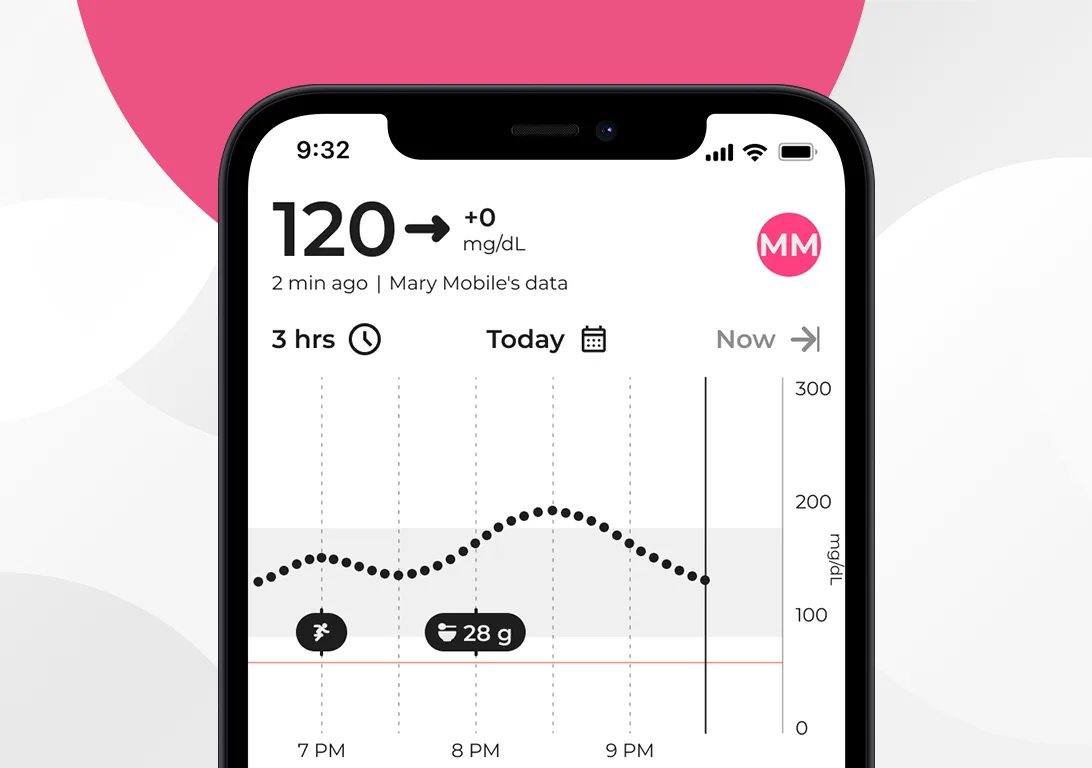
Explore your data with Sugarmate’s interactive CGM trend graph. Slide along to explore specific sensor values or posted activities in more detail. You can also customize more than 30 tiles to highlight what statistics matters most to you.
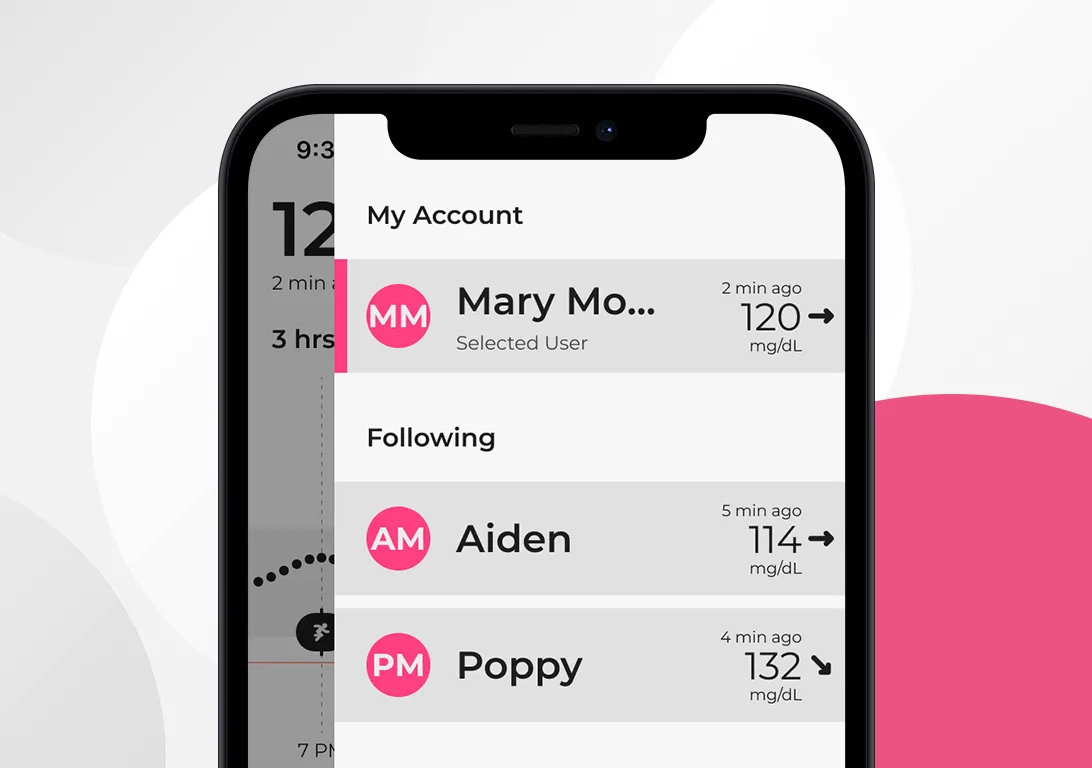
Share your data with up to 20 followers. Followers can create a Sugarmate account to view a user’s CGM data, customize the insights that matter to them, and set up customized alerts for each user they follow.
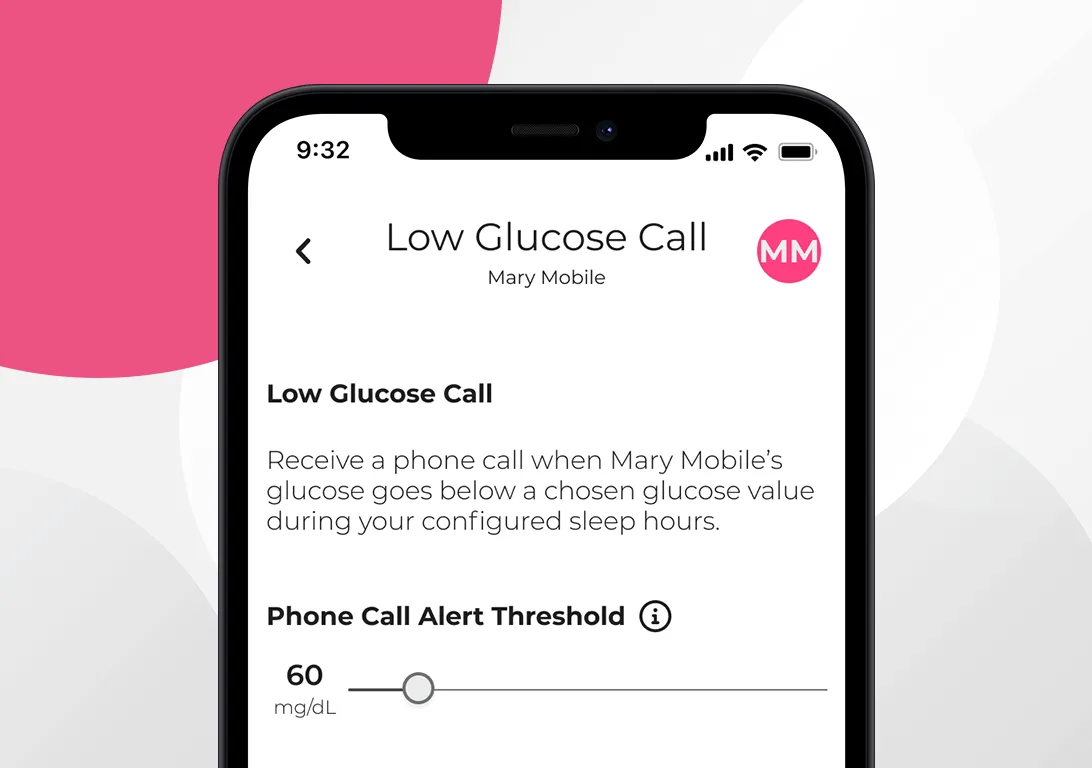
Stay in the know with a wide range of options. Customize your alerts and receive push notifications, low glucose phone calls (even in Do Not Disturb), or SMS text messages when sensor values are outside your defined range.

Activity Feed
See how daily habits affect your sensor values by tracking exercise, food, medication, and insulin. You can also add quick notes along the way.

Exercise Detection
By syncing back and forth with the Apple Health app, Sugarmate can automatically detect and log walking, jogging, and running activities.

Food Diary
When tracking food and drinks, you can enter the details manually, scan barcodes, or use the large nutritional database (powered by FatSecret).

Bookmark Favorites
Save commonly used items from the activity feed so that they can be quickly added later from the Favorites menu or global search option.

Nightstand Mode
Wake up and view your sensor value on Sugarmate’s bedside display. It’s designed to be easy to read, so you can quickly get back to sleep.

Color Themes
Personalize Sugarmate by choosing from a variety of color themes and customizing how the sensor values (dots) appear on the graph.

Apple Watch
Whether you’re working on your laptop or cooking in the kitchen, your sensor readings are just a glance or voice command away. Sugarmate integrates seamlessly with the smart tools you already use, including Apple Watch.*


I don’t like to ask my independent type 1 diabetic kid if she’s given herself insulin. With this app, I don’t have to. I can see everything she has input into it. I see an ongoing graph, any activity she has programmed in. There are so many cool tiles to see trending.
MomOf4YoungAdults
If you use the Dexcom app and are debating trying Sugarmate, just look at all the 5 star reviews and do it! It is seriously one of the best tools in our diabetes arsenal. It is feature-rich, easy and intuitive to use, FREE, has responsive customer service. I could go on and on.
TyDHak
I’ve been diabetic for over 20 years, and [Sugarmate is] teaching me some things that I have never learned from any endocrinologist that I’ve seen. The amount of data that’s available and the decisions that you can make using it are simple mind-blowing.
Dude99604

Create Account
Downloading and installing Sugarmate is easy. Follow the simple steps to set up your account and start maximizing your CGM data today!

Additional Support & Troubleshooting
Did you know that there is an extensive library of educational and self-help materials to help you get the most out of the app?

* Smart watch functionality is enabled through Apple Calendar integration.
Important Safety Information
Sugarmate is a mobile app intended for organizing and tracking blood sugar levels for individuals with diabetes mellitus and who use blood glucose monitoring devices. For contraindications, warnings, precautions, and other important information, please refer to the instructions for use accompanying the mobile app.