There are several reasons why someone might need to locate the serial number for their t:slim X2 insulin pump. Below are multiple ways to locate the serial number for the pump:

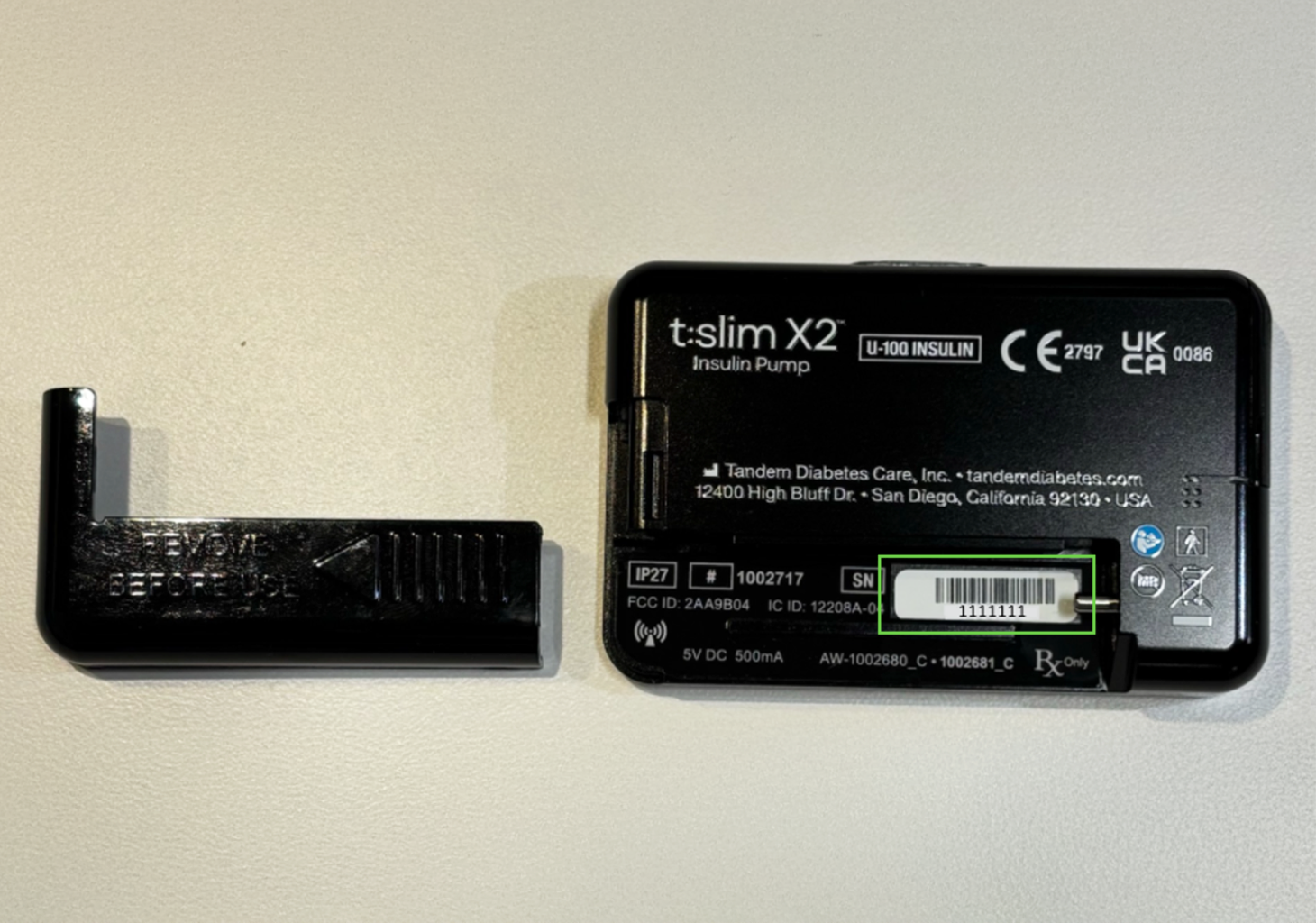
On the t:slim X2 Pump
The serial number can be found on the back of the pump when the insulin cartridge is removed.

Within the t:slim X2 Pump Software
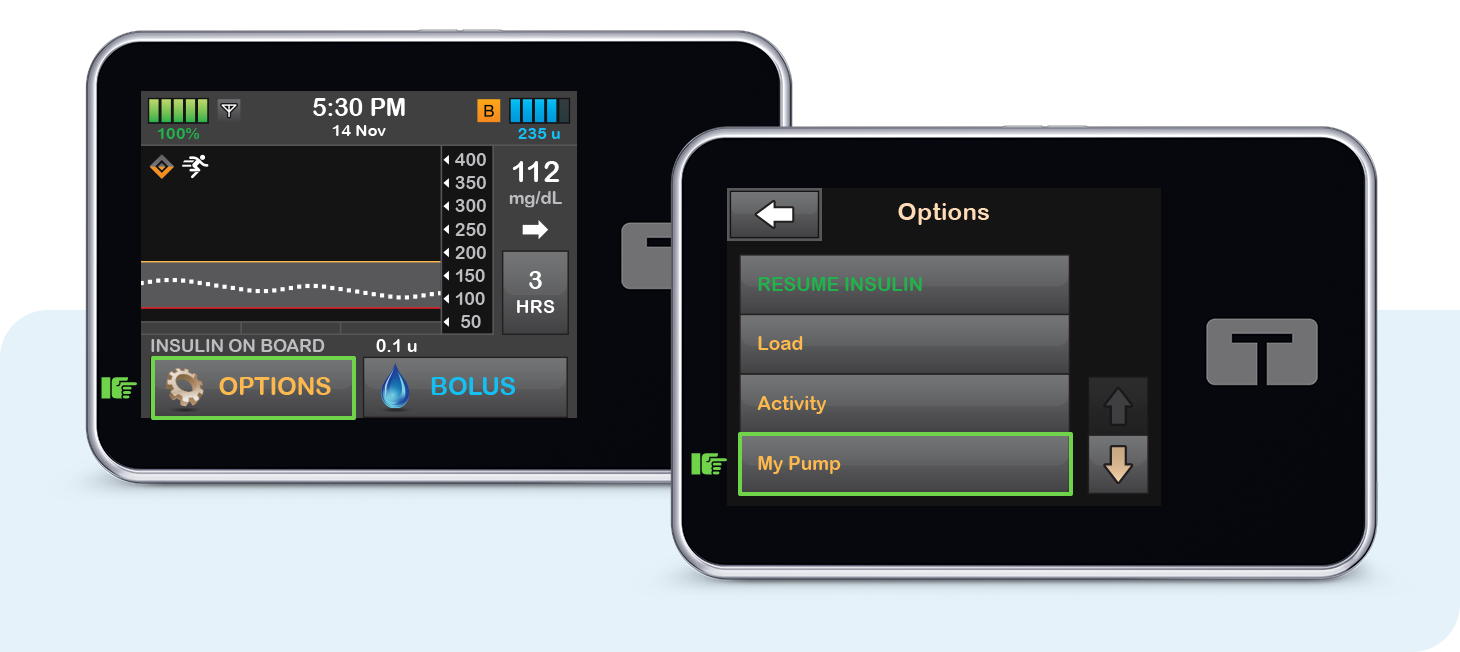
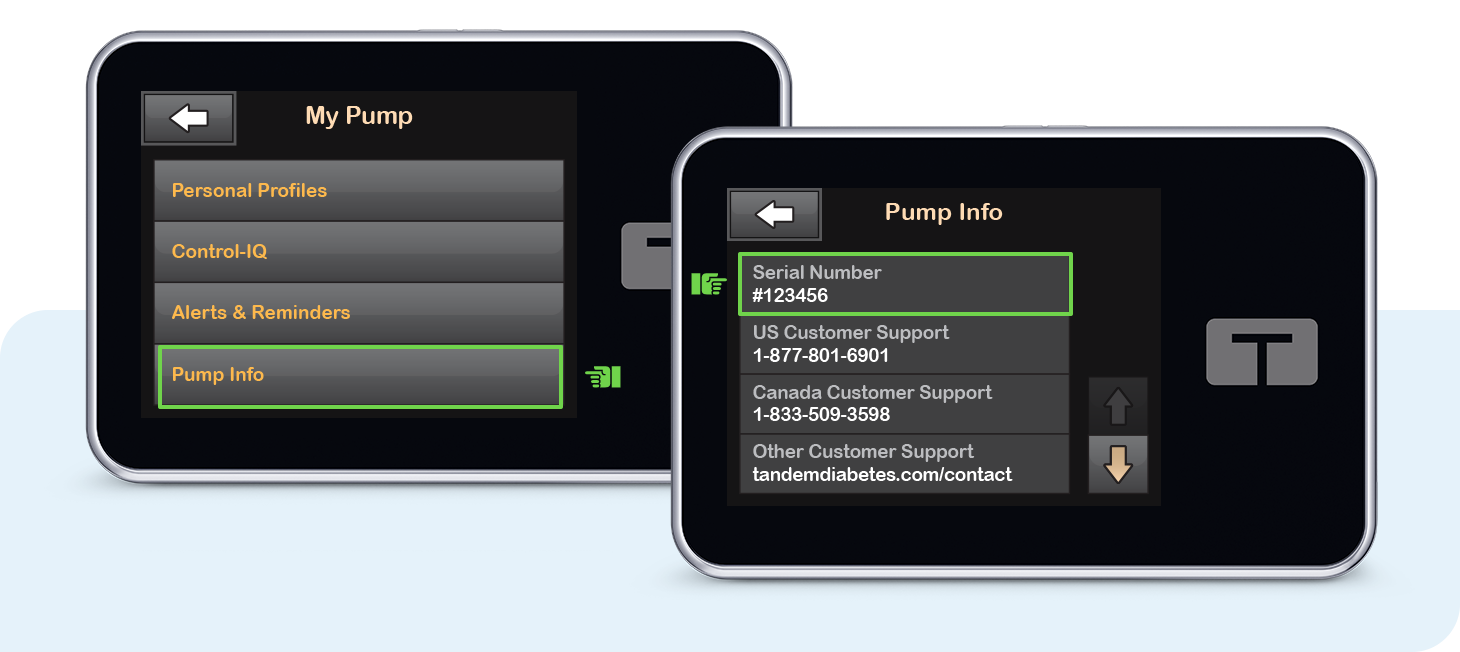
The serial number can be found within the pump software by navigating to the pump information screen.
-
Tap OPTIONS on the pump Home screen and then tap My Pump
-
Next, tap Pump Info. The Serial Number will be the first item shown on the Pump Info screen.

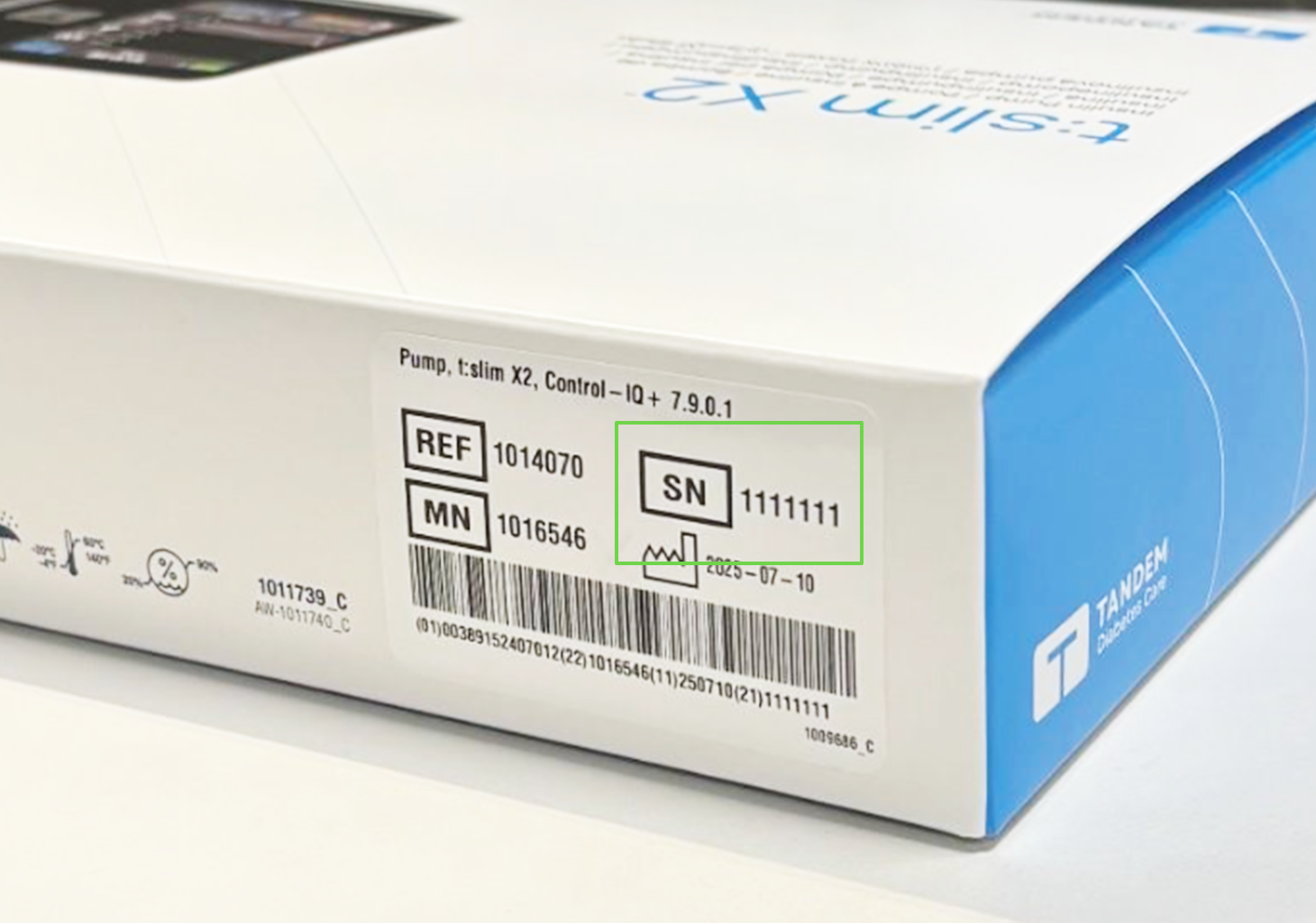
On the t:slim X2 Pump Packaging
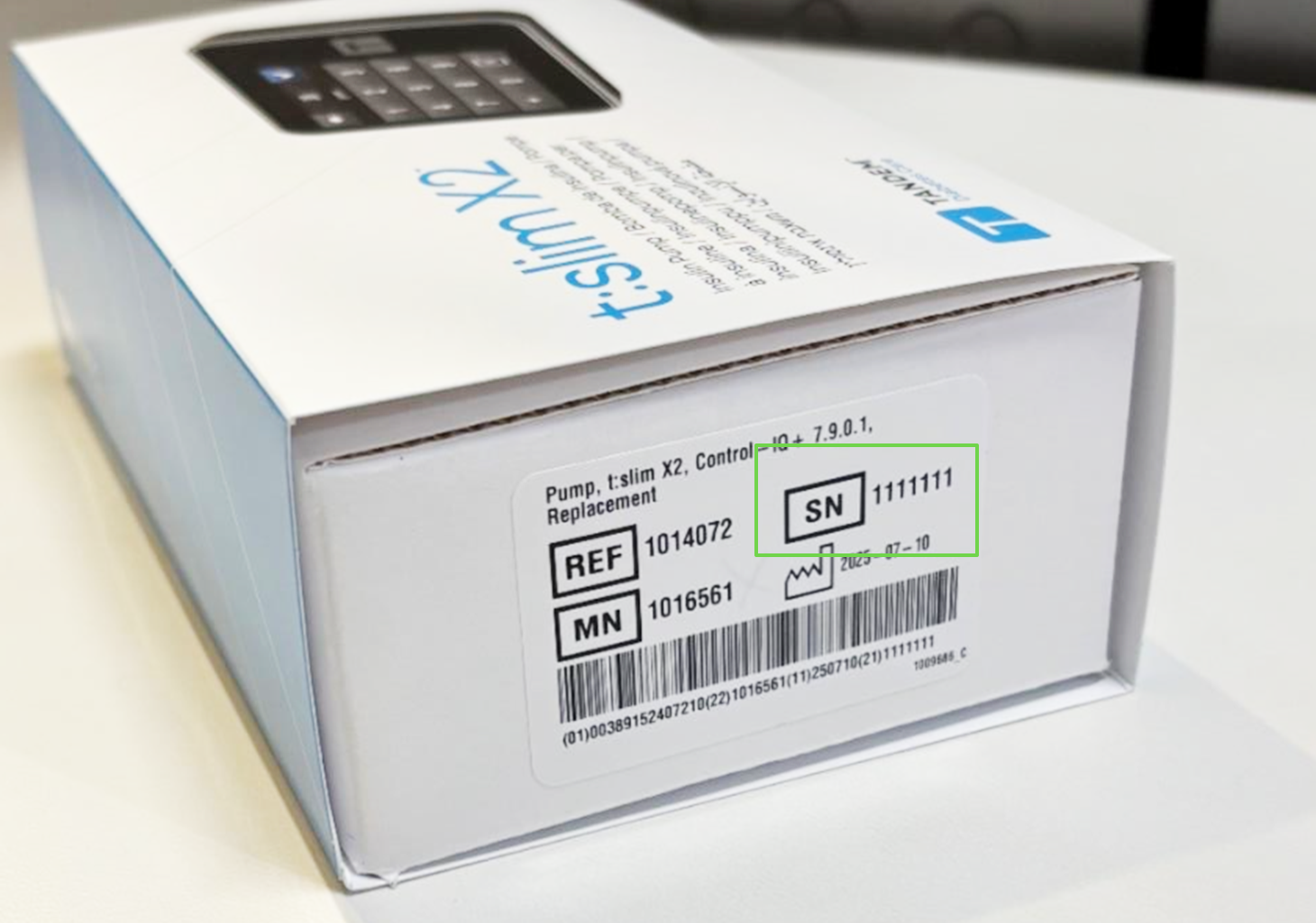
The serial number can be found on the outside of the box the pump came in, near the barcode.
New Pump Box
Replacement Pump Box