If your t:slim X2 insulin pump shuts down during a CGM session, don’t worry. The session information is stored on your sensor and you can easily rejoin your existing sensor session once you turn the pump back on. To restart the CGM session, follow these steps:
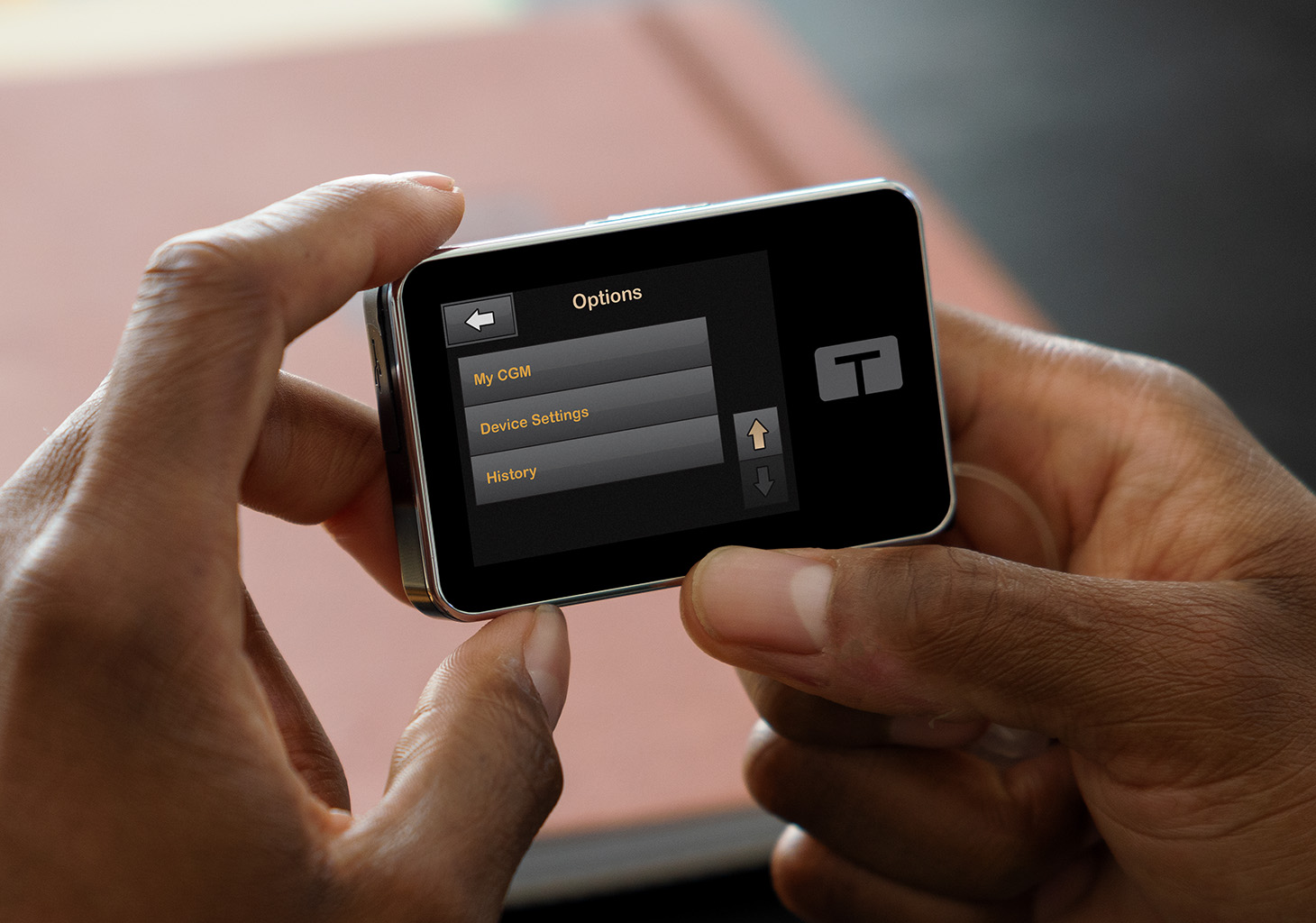
- From the Home screen, tap OPTIONS and then the down arrow
- Tap My CGM and then Start Sensor
- For a Dexcom G6 CGM sensor, tap SKIP when prompted to enter the sensor code. For a Dexcom G7 CGM System,* tap the checkmark when asked to rejoin the existing sensor session.
- After a few minutes, your pump will reconnect to your sensor session
Always refer to the user guide for important safety information and detailed step-by-step instructions for using Dexcom CGM with your t:slim X2 pump.
* The Dexcom G7 15 Day is indicated for ages 18+ and the Dexcom G7 is indicated for ages 2+.
Important Note About CGM Support
Dexcom and Tandem have agreed which system issues are best handled by each company, including which company is responsible for reporting those events to the appropriate regulatory authority. To help ensure that the required reporting takes place in a timely fashion, customers may need to contact Dexcom for some issues and Tandem for others. Learn which continuous glucose monitoring (CGM) issues are specific to the sensor or the insulin pump, and which company to contact.