Maintaining a seamless connection between your t:slim X2 insulin pump and Dexcom G7 CGM System* is essential for effective diabetes management. This guide provides tips and best practices to ensure both devices communicate efficiently with each other.
Ensure Clear Communication
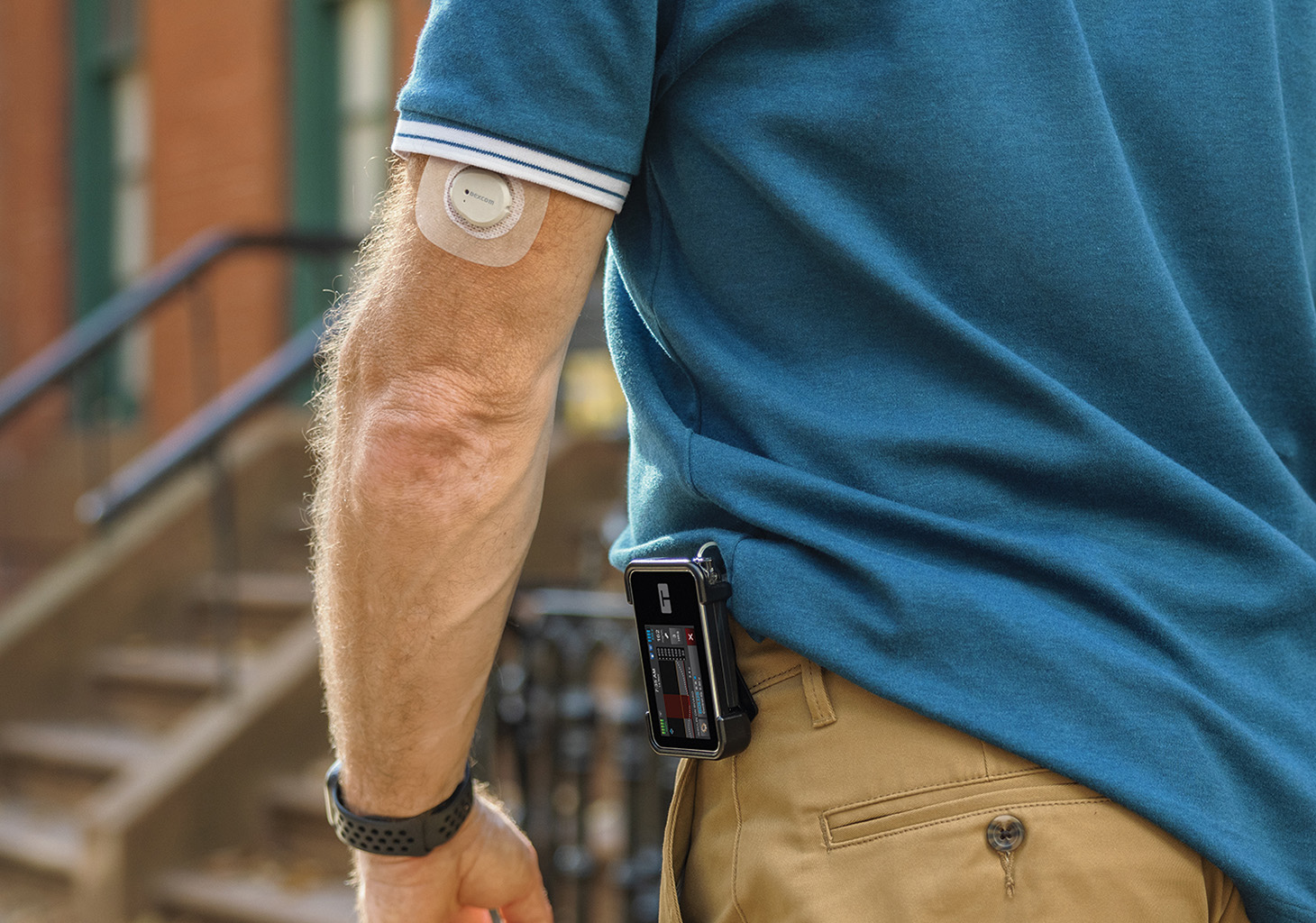
For best connectivity, the t:slim X2 insulin pump and Dexcom G7 CGM System should be within line-of-sight of each other without any obstruction (including any body parts) and on the same side of your body. Also ensure that your pump screen is facing away from your body.
Connecting to Multiple Devices
A single Dexcom G7 CGM System cannot be connected to more than one medical device at the same time. To help resolve this issue, either:
- Turn off your Dexcom receiver
- Or, if you received a replacement pump, turn off your old t:slim X2 pump
- Then give your pump 10-15 minutes to reconnect
Always refer to the user guide for important safety information and detailed step-by-step instructions on your t:slim X2 pump.
* The Dexcom G7 15 Day is indicated for ages 18+ and the Dexcom G7 is indicated for ages 2+.
Important Note About CGM Support
Dexcom and Tandem have agreed which system issues are best handled by each company, including which company is responsible for reporting those events to the appropriate regulatory authority. To help ensure that the required reporting takes place in a timely fashion, customers may need to contact Dexcom for some issues and Tandem for others. Learn which continuous glucose monitoring (CGM) issues are specific to the sensor or the insulin pump, and which company to contact.