Set Up Your New Pump

gear icon
For a seamless start with your replacement pump, please take a moment to read through and follow the setup instructions provided below.

Before You Begin

Save Your Pump Settings

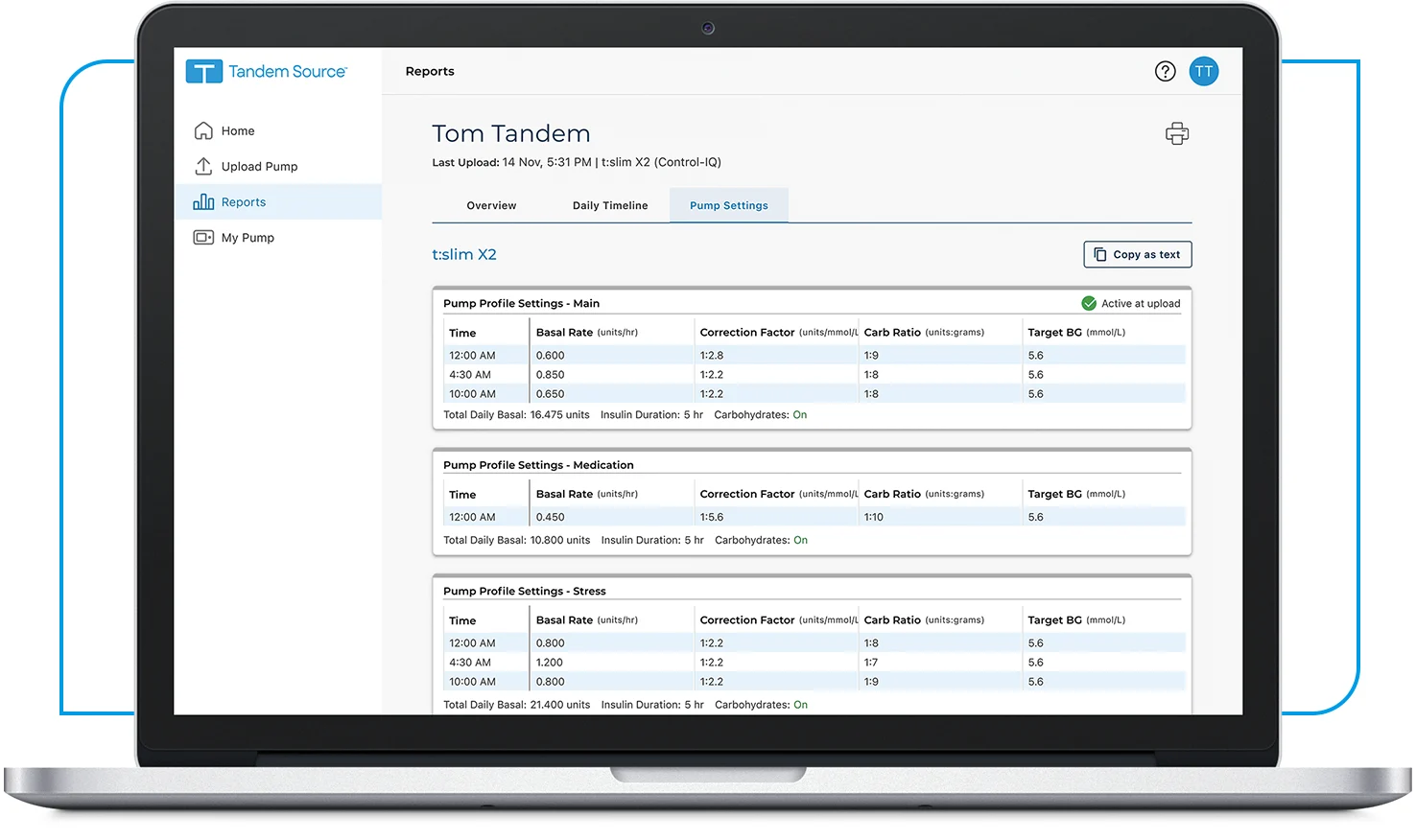
Make sure you have your current pump settings written down or printed from the Tandem Source platform. If you already have an account, please be sure to use your existing login credentials and do not create a new account.

  1. Log in to the Tandem Source platform

  2. Click on Reports in the navigation sidebar

  3. Click on the Pump Settings category and then the Print icon
tandem-software-source-platform-pump-settings-738x438

Check Software Version

Your replacement pump may intentionally have a different software version than your previous pump. Visit the Tandem Source platform and check the My Pump section to see if a software update is available or if training is required before you begin using your replacement pump.


Let’s Get Started

Prepare Your New Pump

This section will walk you through how to prepare your replacement pump, providing valuable instructions and tips to help resume insulin therapy.

Note: These instructions are provided as a reference tool for pump users and caregivers who are already familiar with the use of an insulin pump and with insulin therapy in general. Not all steps are shown. For more detailed information, please refer to the pump’s user guide.

  • Apply the Insulin Pump Support sticker to the back of the pump

  • Connect the replacement pump to its power source to turn it on

  • Enter your saved settings into your replacement pump

  • Fill and load a new cartridge — view instructions

  • Resume insulin delivery

What's Next?

Connect Pump

If using continuous glucose monitoring (CGM), it’s important to connect your CGM sensor to your new replacement pump so you can resume therapy.